SCREENSHOT
REDACTION
Redact secrets from screenshots. Native on Windows.
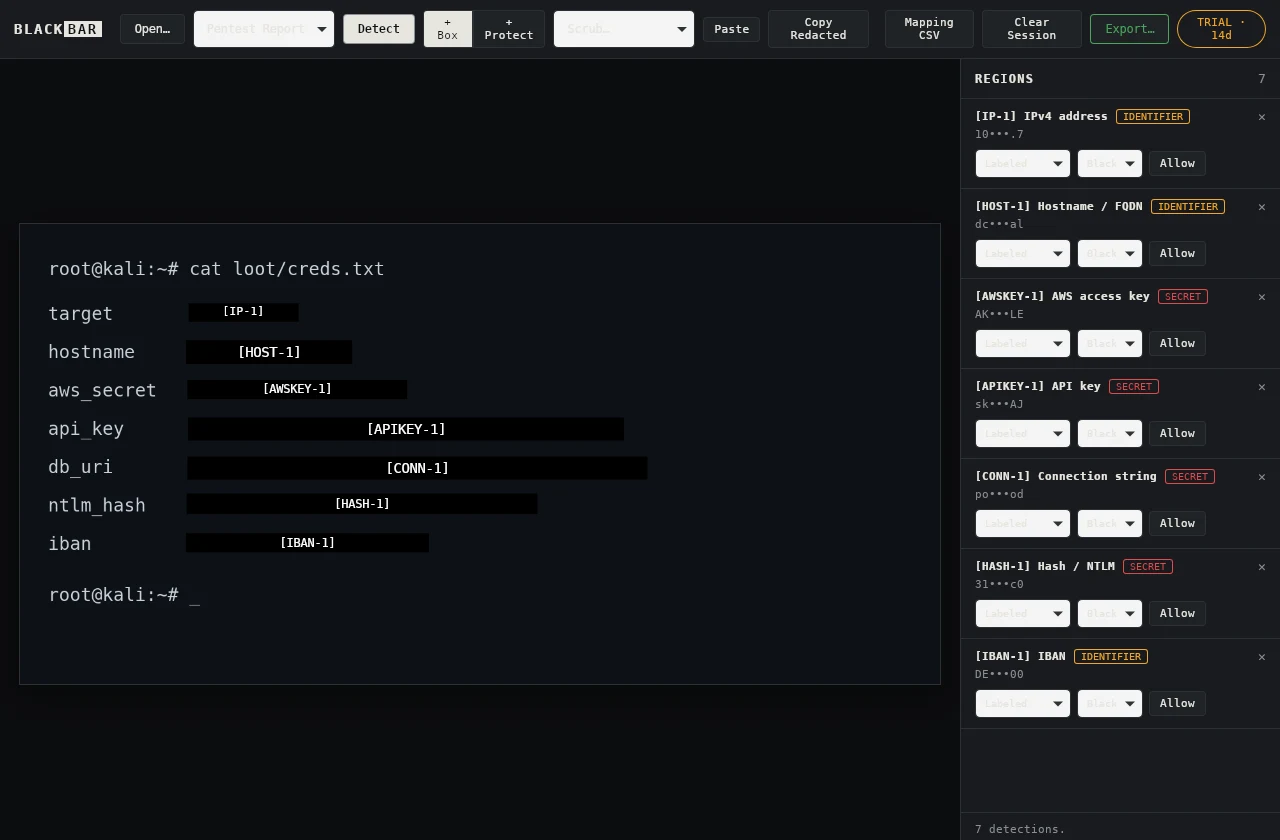
Capture a region with Ctrl+Shift+2 — or paste a screenshot — and Blackbar finds IPs, hostnames, API keys, JWTs, hashes and connection strings and destroys the pixels: not a blur you can undo, an opaque burn into a fresh bitmap with every scrap of metadata stripped. Runs entirely on your machine. No account, no telemetry, no network calls.
Seven secrets, boxed in one pass.
Consistent session pseudonyms — the same value becomes the same label ([IP-1], [HOST-1], [AWSKEY-1]) across every screenshot in a report.


- Built-in capture: Ctrl+Shift+2 hands off to the Windows snip overlay — the same one Win+Shift+S uses — and the region lands straight in the editor. Capture uses a temporary local file, removed after capture or a handled error.
- The installer bundles the OCR models and fonts — Blackbar opens no sockets and needs no runtime downloads.
- Exports overwrite pixels in a fresh opaque bitmap and strip all EXIF/XMP/metadata — the original is unrecoverable.
- Blur and pixelate are flagged reversible and never applied to a secret without an explicit confirmation.
- Same 27 detectors, redaction engine and session pseudonyms as the macOS and Linux builds — verified against one shared test corpus, run on x64 and ARM64.
- One offline Ed25519 license activates Windows, macOS and Linux — the same emailed code.
Installer or MSI.
Run the installer and you are done. The MSI is there for fleet deployment via Intune, SCCM or Group Policy. Windows on ARM gets a native ARM64 build — no emulation.
# silent install (x64)
msiexec /i Blackbar_1.1.2_x64_en-US.msi /qn /norestart

# silent install (ARM64)
msiexec /i Blackbar_1.1.2_arm64_en-US.msi /qn /norestart
The Windows installer is not yet Authenticode-signed, so SmartScreen may warn on first run — choose More info → Run anyway. The signed SHA-256 manifest below is how you verify it is genuinely ours.
Every release ships a SHA-256 manifest and a GPG signature. Confirm your download is intact and really came from us.
# fetch the manifest, signature and key
curl.exe -O https://dl.getblackbar.com/SHASUMS256.txt
curl.exe -O https://dl.getblackbar.com/SHASUMS256.txt.asc
curl.exe -O https://dl.getblackbar.com/blackbar-signing-key.asc

# check the hash, then the signature
Get-FileHash .\Blackbar_1.1.2_x64-setup.exe -Algorithm SHA256
gpg --import blackbar-signing-key.asc
gpg --verify SHASUMS256.txt.asc SHASUMS256.txt
Signing key fingerprint 7ABA D5C3 DC9D A715 8635 459C EDAA EF2F C716 4A46 · full details on the Security & Privacy page.